Why Does My Microwave Interfere With Wi-Fi? They Share the Same Radio Band
Microwave ovens run near 2.45 GHz, inside the same band used by 2.4 GHz Wi-Fi. The small amount of energy that escapes the door, allowed under safety rules, is enough to flood nearby channels with noise.
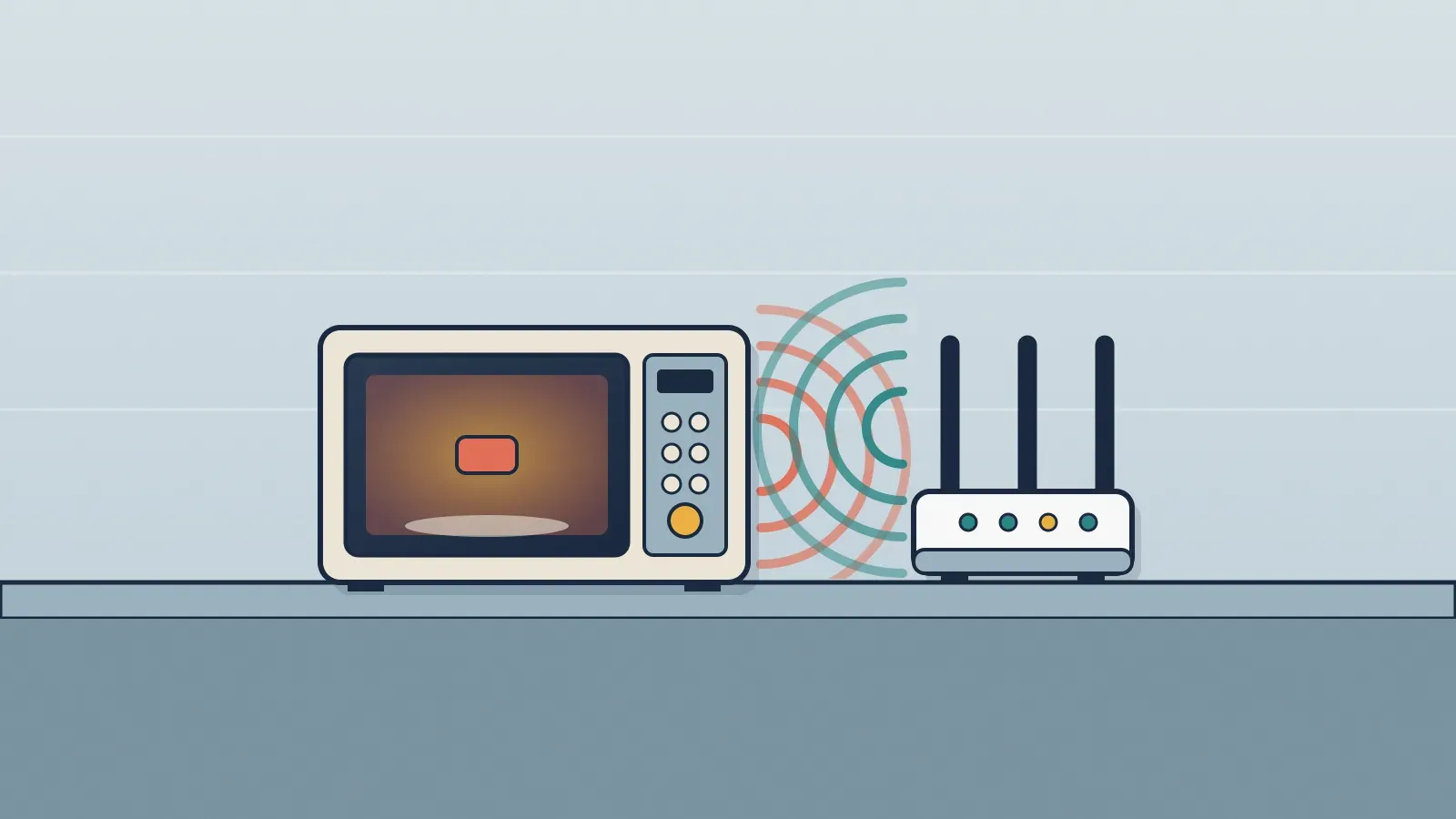
Because they use the same slice of the radio spectrum. A microwave oven heats food with waves of about 2.45 GHz, and 2.4 GHz Wi-Fi works between 2,400 and 2,500 MHz. A small part of the oven's energy escapes, within the allowed limit, and turns into noise that drowns out your network's signals while the oven is running.
Are microwaves and Wi-Fi the same thing?
They're relatives. Both use radio waves in the part of the electromagnetic spectrum called microwaves, but for opposite purposes. The oven packs a lot of energy into a metal box to agitate the molecules in food and make heat. A router spreads weak signals around your home just to carry data, and what matters to it isn't power but being heard.
Inside the oven, the waves come from a tube called a magnetron. According to Cornell University's IT team, a microwave oven's frequency is set by the physical dimensions of the magnetron, and household ovens run near 2.45 GHz, as a University of Michigan news release notes. That frequency lands right in the middle of the band used by the oldest and most widespread type of Wi-Fi.
It's worth clearing up a common misconception: the oven doesn't cook food from the inside out, and its frequency wasn't picked because of some magic resonance of water. That story is told in does a microwave cook food from the inside out?.
Why do so many devices share the 2.4 GHz band?
The 2.4 GHz band is unlicensed: users don't each need a license, as radio stations and cell carriers do. That made it attractive for many things at once. According to Cornell, it's used by Bluetooth, cordless phones and Wi-Fi, and it also has to coexist with ovens and other heating equipment.
Space is tight. In the 2.4 GHz band there are only three Wi-Fi channels that don't overlap: channels 1, 6 and 11. Picking the channels in between ends up interfering with the neighbors. With so few lanes, one strong source of noise is enough to clog all of them.
Isn't the oven supposed to be shielded?
It is, and the shielding does a great job of keeping us safe. The door has a metal mesh and seals that hold almost all the energy inside. Almost all, though, isn't all. The U.S. federal standard enforced by the FDA limits leakage over an oven's lifetime to 5 milliwatts per square centimeter, measured about 2 inches (5 cm) from the surface.
That limit is very low from a health standpoint, and the energy drops quickly with distance: according to the FDA, a measurement taken 20 inches from an oven is about one hundredth of the value at 2 inches. But a Wi-Fi signal reaches your phone already weakened after passing through walls, so even that leftover can be too much noise.
That's why, according to Cornell, noise from a running microwave usually takes out all of the 2.4 GHz Wi-Fi channels nearby. The oven's signal is broad and poorly controlled, and it doesn't respect the channel layout. The result is lost data packets and retries: video stutters, calls break up and pages crawl, but everything goes back to normal when the oven stops.
Why don't 5 GHz and 6 GHz Wi-Fi have the same problem?
Because the oven doesn't transmit at those frequencies. Newer routers also broadcast in the 5 GHz band and, in some cases, the 6 GHz band, far from the magnetron's 2.45 GHz. According to the Wi-Fi Alliance, in 2020 the FCC opened 1,200 MHz in the 6 GHz band to unlicensed technologies, nearly tripling the spectrum available to Wi-Fi. Devices that can use that band are called Wi-Fi 6E.
One detail that often causes confusion: 5 GHz Wi-Fi has nothing to do with 5G cellular networks. The similar name is a coincidence, and what 5G is and how it differs from 4G is a different story. In exchange for a cleaner band, higher frequencies tend to have a harder time getting through walls, so 2.4 GHz is still useful in the rooms farthest from the router.
What can you do if your Wi-Fi drops whenever the microwave runs?
- Move the router away from the kitchen, or at least don't keep it next to or on top of the oven.
- Connect nearby devices to the 5 GHz network if your router offers one.
- On 2.4 GHz, stick to channels 1, 6 or 11, which don't overlap.
- Check the oven door: worn seals let more signal out, and the FDA advises against using an oven whose door is damaged or doesn't close firmly.
Keeping the door and its edges clean helps the seal close properly; the method is in how to steam-clean your microwave with lemon or vinegar. If the signal dip is small and happens only while food is heating, there's no reason to worry: it's physics, not a fault. The glitch disappears the moment the turntable stops.
Sources
- Cornell University (IT@Cornell): Wi-Fi / RF Spectrum Use Guidelines at Cornell University
- ScienceDaily (University of Michigan College of Engineering): University Of Michigan Researchers Reduce Interference From Microwave Ovens
- FDA: Microwave Ovens
- Wi-Fi Alliance: Wi-Fi 6E: Wi-Fi in the 6 GHz band (2021)